
Purpose:
The purpose of this document is to demonstrate how we can export data using out-of-band (OOB) data entities from Dynamics 365 for Operations.
Prerequisites:
- Access to Dynamics 365 for Operations instance via remote desktop.
- To be provisioned as an administrator or at least data management officer for the instance.
Business requirement:
Ability to export customer master for USMF legal entity.
Process:
1. Navigate to Workspaces > Data management.
2. Click Export tile.
3. Enter JOB DETAILS as follows. We have selected Customers data entity for this scenario.
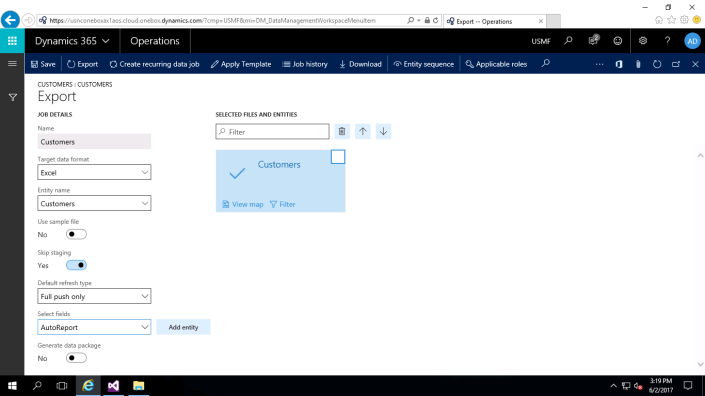
4. Click Add entity button. You should see Customers data entity added to the right pane.
5. Click Export button.
5. After the job ends, you can see the count of records exported on the Execution summary screen.

6. Click the ellipsis button to download the file.

7. You should be able to see the exported records in the Excel file.


