In the first “ping” test blog post, we tested the response time of the SQL. This time we will use the “performance test” feature to test the AOS/Web Server response time. Open up the “Performance test” form, and only perform record count to test to 10 records, and only test insert: Then you click “F12” … Continue reading D365 and the quick ‘ping’ performance test – part 2
在第一篇“ping”测试博客文章中,我们测试了SQL的响应时间。这次我们将使用“性能测试”功能来测试AOS/Web服务器响应时间。
打开“性能测试”表格,只进行记录计数以测试到10条记录,并且只进行测试插入:
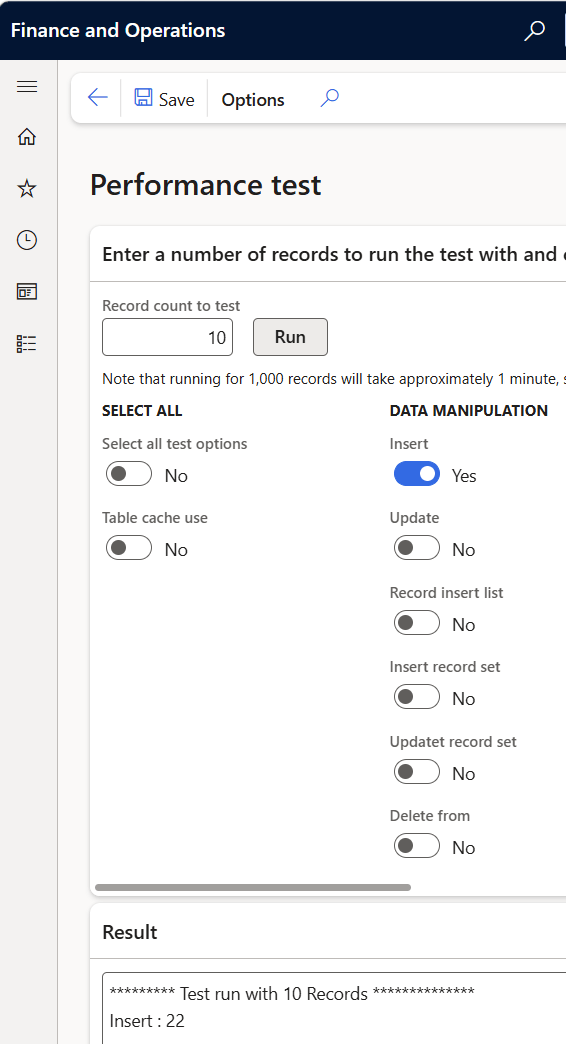
然后点击“F12”打开开发工具,筛选“ProcessMe”。
当你点击“运行”10到30次,并查看“时间栏”时:
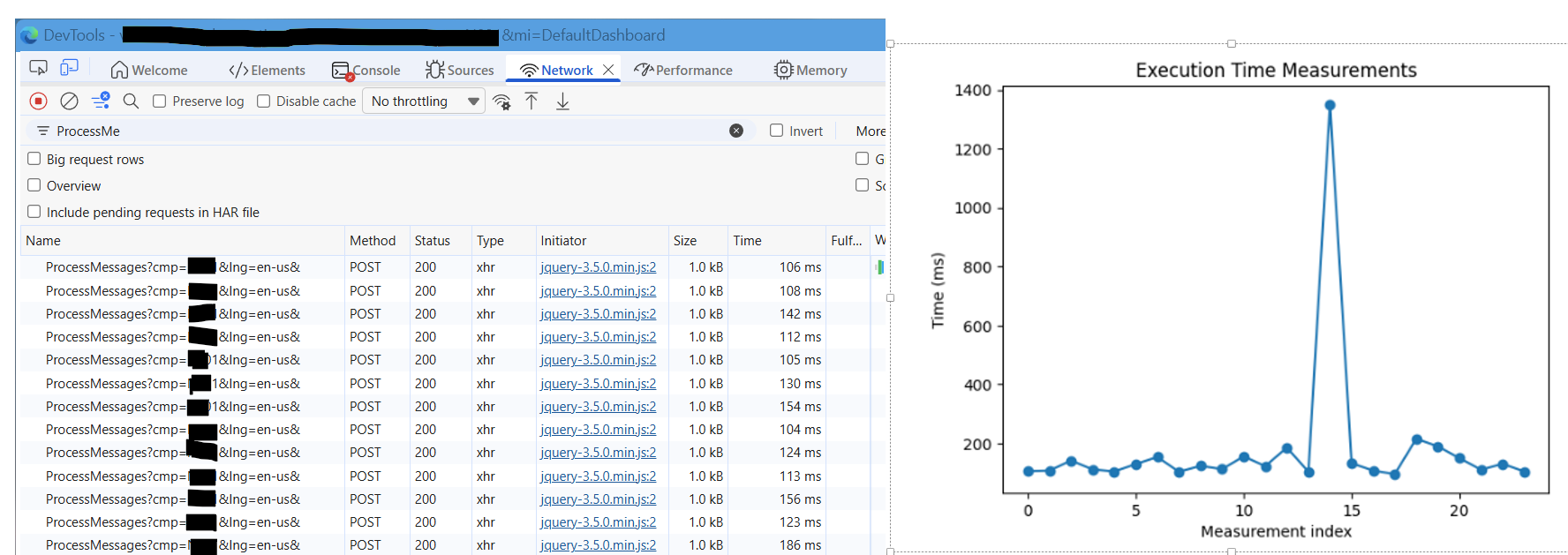
如果你的平均响应时间在100毫秒到200毫秒之间,我觉得AOS的响应时间是可以的。可能会有几次峰值。
但如果你的数字有时只有几秒钟:
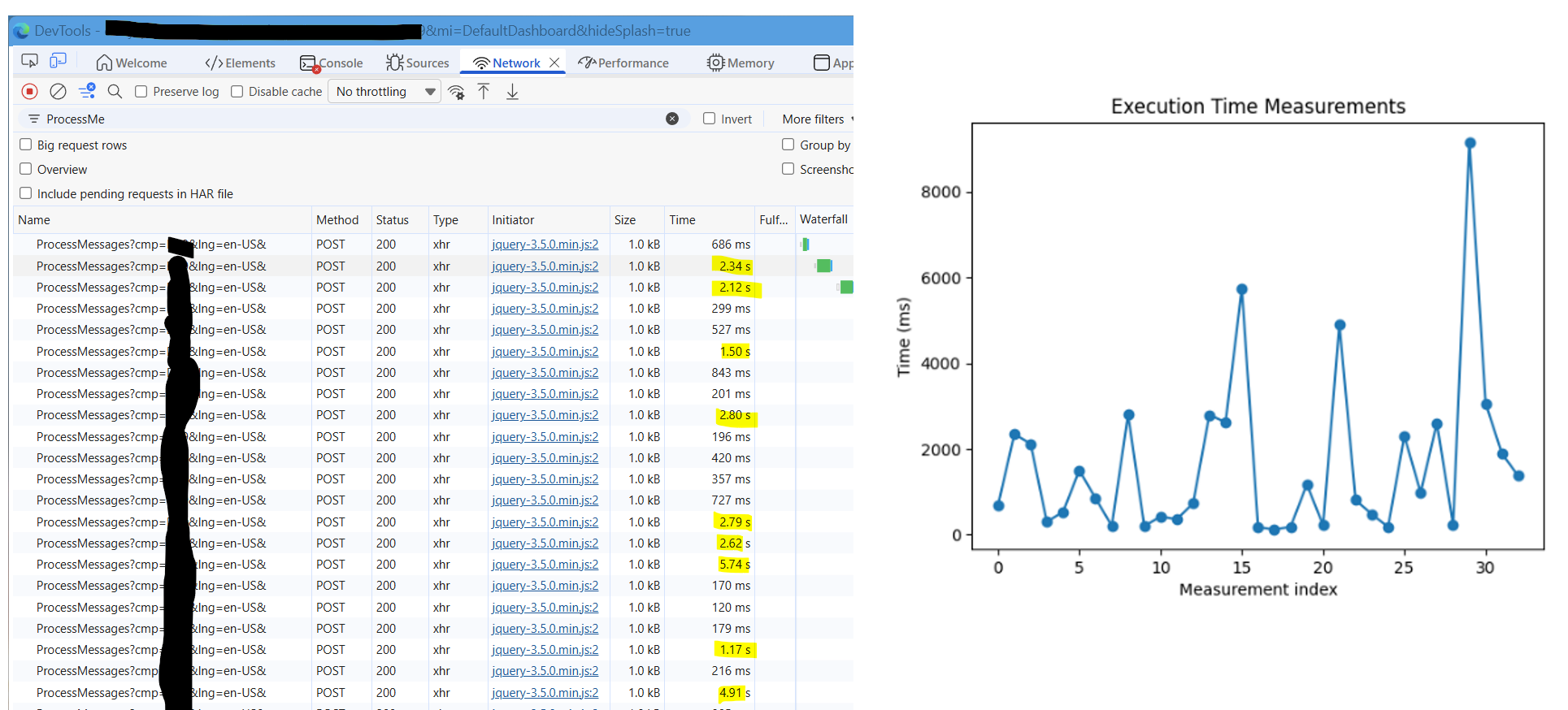
这意味着你遇到麻烦了,应该提出支持请求。很可能出现了问题,许多用户对申请时间感到不满。
等我知道为什么偶尔会有这种行为,我会告诉你。
更新 2026年6月2日:是AOS内存问题!多要求,延迟就会消失。通常我们能拿到16Gb,32Gb要好得多。
转载请注明:ww12345678 的部落格 | AX Helper » D365 与快速“ping”性能测试——第二部分